
Using Password reset option
Using Password & Security menu
First of all, keep in mind that you have an opportunity to log in your Hosting account directly from the Namecheap. Thus, you don’t need to remember your cPanel login details, it’s enough to remember only one set of login details – Namecheap account credentials.
So, if you forgot your cPanel password, or the one provided in the welcome email does not work, you can simply log into cPanel via your Namecheap Account Panel.
If you would like to log in through cPanel login page, you can reset the password following these steps:
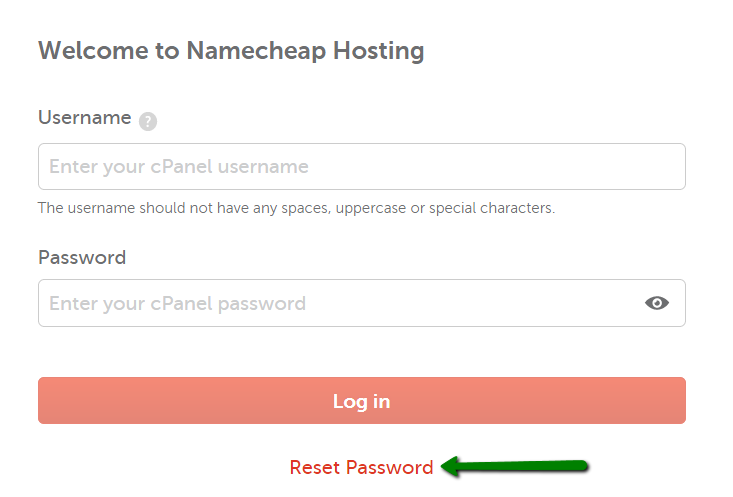
1. Click Reset Password on the main cPanel login page:
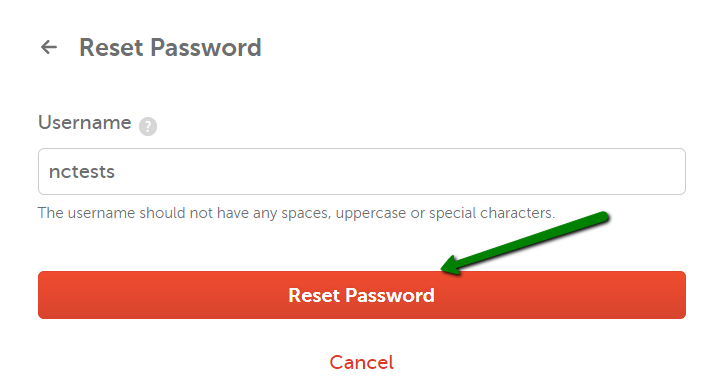
2. Enter your cPanel username and click on Reset password:
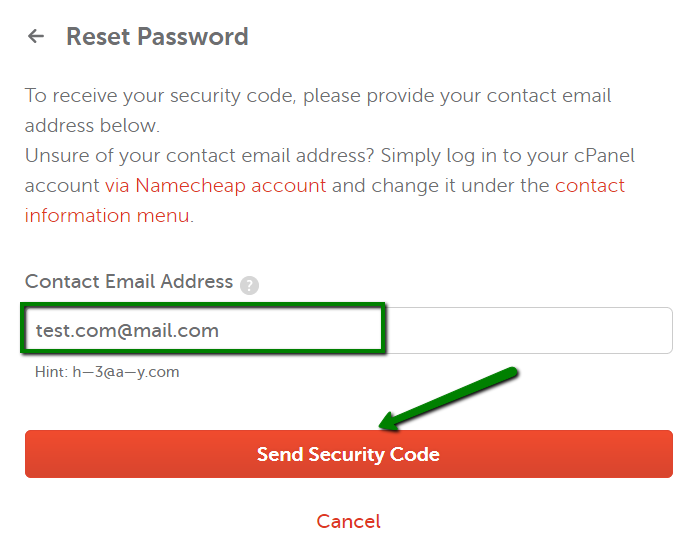
3. On the next page, enter your contact email address and click on the Send Security Code button:
4. Once done, the email with the confirmation code will be sent to the contact email address assigned to your hosting account. It is better not to close password reset page as you may need to enter a confirmation code on it.
Below you can see the example of the email:
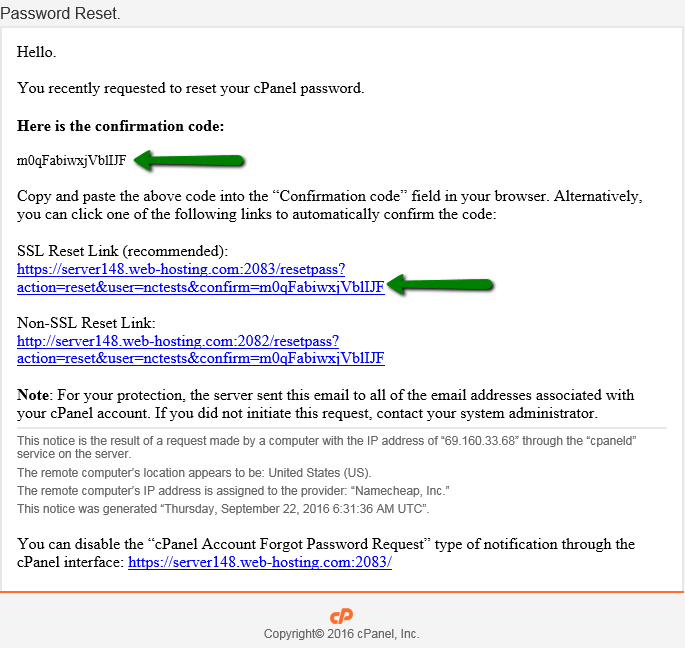
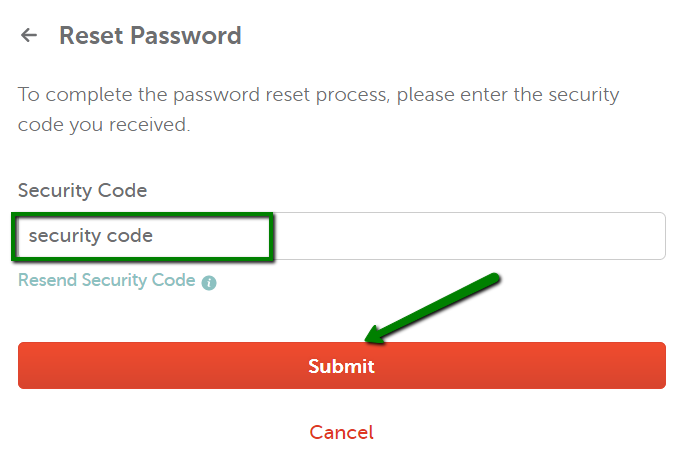
5. Go back to cPanel page, enter the security code and hit Submit:
6. Once done, the window with the new password appears, use it to log into your cPanel account.
NOTE: If you do not receive the email within 10-15 minutes, feel free to contact us via Helpdesk so that we can assist you with the password change.
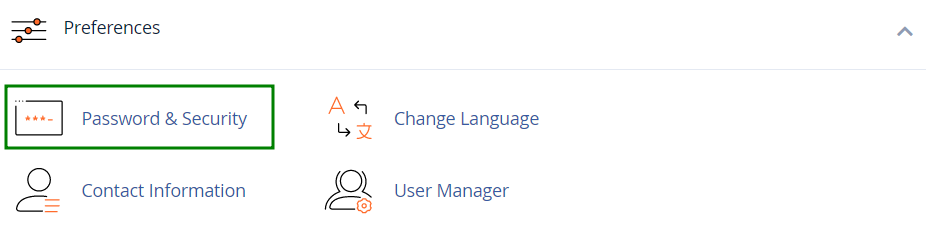
If you know your current password, you can change it in your cPanel >> Preferences section >> Password & Security menu:
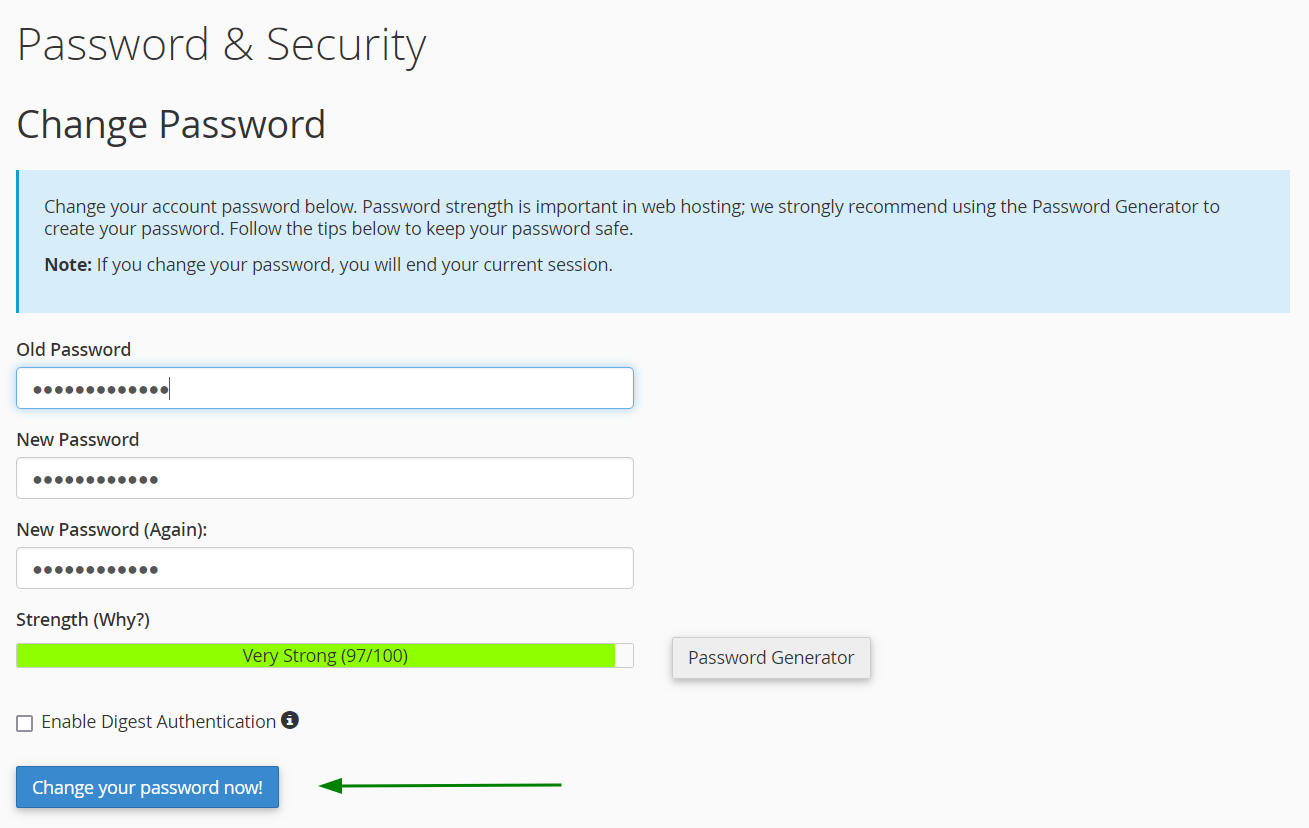
Fill in the required fields with the Old and the New password you wish to use and hit Change Password:
That’s it!
